Deploy Claude Code (by Anthropic) and connect it to a self-hosted large language model (e.g., Qwen, Llama series, etc.), completely bypassing Anthropic's official API, enabling secure offline/intranet development assistance.
Table of Contents
- Preface
- 🔧 1. Install the Claude Code CLI
- ⚙️ 2. Global Configuration File Setup
- 💻 3. VS Code Extension Integration
- ⚠️ 4. Common Issues and Solutions
- ✅ 5. Summary and Recommendations
Preface
Introduction to Claude Code
Claude Code is Anthropic’s intelligent programming assistant that supports code understanding, generation, debugging, and refactoring.
Through its OpenAI-compatible API interface, Claude Code can seamlessly integrate with any locally hosted LLM service that supports this protocol (e.g., llama.cpp, vLLM, Ollama, etc.)—without relying on Anthropic’s official API.
📖 Official documentation: https://code.claude.com/docs
Self-Hosted Large Language Models
The previous article, “Outperforming 235B-parameter models: Single-GPU private deployment of OpenClaw,” described how to deploy a local LLM service using llama.cpp. This guide uses that setup as the backend LLM API.
🔧 1. Install the Claude Code CLI
Method 1: via npm (ideal for developers/debugging)
npm install -g @anthropic-ai/claude-codeMethod 2: Official native installer (recommended for production)
# macOS / Linux / WSL
curl -fsSL https://claude.ai/install.sh | bash

# Windows (PowerShell)
irm https://claude.ai/install.ps1 | iex
✅ Verify installation:
claude --version⚙️ 2. Global Configuration File Setup
Claude Code identifies the backend model service through environment variables. The following three settings are required:
ANTHROPIC_BASE_URLmust point to an OpenAI-compatible API endpoint (e.g.,http://localhost:8000/v1)ANTHROPIC_AUTH_TOKEN: If authentication is not required by your service, set it to any placeholder value (e.g.,"not-needed")ANTHROPIC_MODEL: Must exactly match the model ID registered in your local LLM service
Configuration file path
| Platform | Path |
|---|---|
| Linux/macOS | ~/.claude/settings.json |
| Windows | %USERPROFILE%\.claude\settings.json |
Example configuration (settings.json)
{
  "env": {
    "ANTHROPIC_AUTH_TOKEN": "not-needed",
    "ANTHROPIC_BASE_URL": "http://10.0.0.1:8001",
    "ANTHROPIC_MODEL": "Qwen3.5-35B-A3B-UD-Q4_K_M",
    "ANTHROPIC_SMALL_FAST_MODEL": "Qwen3.5-35B-A3B-UD-Q4_K_M",
    "API_TIMEOUT_MS": "600000",
    "CLAUDE_AUTOCOMPACT_PCT_OVERRIDE": 80,
    "CLAUDE_CODE_DISABLE_EXPERIMENTAL_BETAS": 1,
    "CLAUDE_CODE_DISABLE_NONESSENTIAL_TRAFFIC": 1
  }
}
ℹ️ Parameter explanations:
ANTHROPIC_BASE_URL: OpenAI-compatible API address of your local LLM serviceANTHROPIC_MODEL: Model name (must match the--model_aliasor actual loaded model name on the server)CLAUDE_AUTOCOMPACT_PCT_OVERRIDE=80: Automatically compresses conversation history when context usage reaches 80%- For more options, see: Official Settings Documentation
Launch the CLI
Run in your project directory:
claude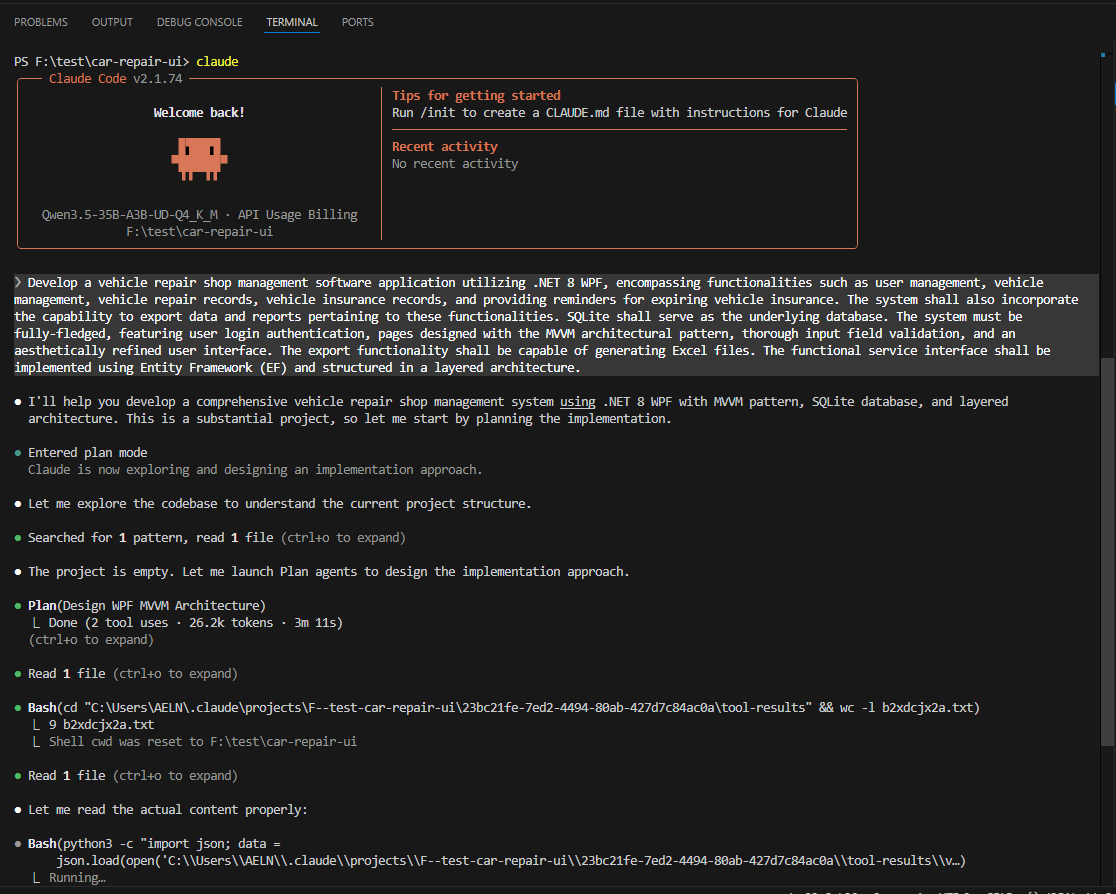
💻 3. VS Code Extension Integration
1. Install the extension
Go to the VS Code Marketplace and install:
👉 Claude Code for VS Code
2. Extension configuration
💡 Note: The Claude Code for VS Code extension does NOT read
~/.claude/settings.json. You must configure it separately here!Go to Settings → Extensions → Claude Code → Edit in settings.json, and add the following:
{
  "claudeCode.selectedModel": "Qwen3.5-35B-A3B-UD-Q4_K_M",
  "claudeCode.allowDangerouslySkipPermissions": true,
  "claudeCode.disableLoginPrompt": true,
  "claudeCode.preferredLocation": "panel",
  "claudeCode.environmentVariables": [
    {
      "name": "ANTHROPIC_AUTH_TOKEN",
      "value": "not-needed"
    },
    {
      "name": "ANTHROPIC_BASE_URL",
      "value": "http://10.0.0.1:8001/v1"
    }
  ]
}
⚠️ Security note:
allowDangerouslySkipPermissions: trueallows AI to automatically modify files—only enable in trusted intranet environments- In production, keep permission prompts enabled to prevent accidental overwrites
3. Use the extension
- Sidebar panel: Click the Claude icon in the left activity bar
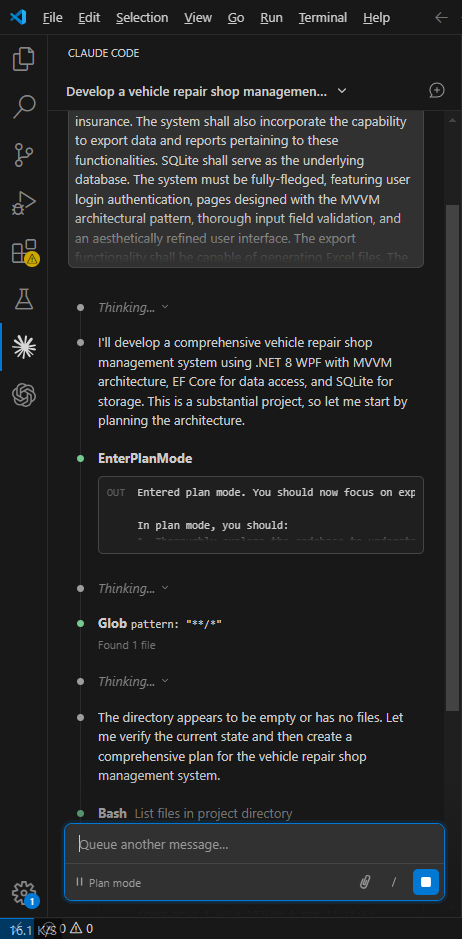
- In-editor: Right-click code → “Ask Claude”
⚠️ 4. Common Issues and Solutions
Error example
request (128640 tokens) exceeds the available context size (128000 tokens)Solutions
✅ Solution 1: Enable auto-compression (recommended)
Already configured via:
"CLAUDE_AUTOCOMPACT_PCT_OVERRIDE": 80Compression triggers at 80% context usage, but may still be insufficient for very large projects.
✅ Solution 2: Manually compact context
Type in the chat window:
/compactForces removal of non-essential history while preserving current code state.
✅ Solution 3: Increase model context window
When starting your local LLM service, explicitly specify a larger context, e.g.:
# llama.cpp example
./server -m ./models/qwen3-35b.Q4_K_M.gguf --ctx-size 131072
✅ Solution 4: Reduce input scope
- Create a
.claudeignorefile in your project root to exclude irrelevant directories:node_modules/ dist/ build/ venv/ *.log *.bin - Avoid full-repo analysis in monolithic repositories
✅ 5. Summary and Recommendations
| Aspect | Recommendation |
|---|---|
| Model selection | Prefer long-context models like Qwen3.5 or Llama-3-70B |
| Security | Deploy on intranet + disable external access + disable auto-file modification (unless trusted) |
| Performance | Use GPU acceleration (e.g., cuBLAS in llama.cpp) and quantized models (Q4_K_M offers good speed/accuracy balance) |
| Maintainability | Include settings.json and .claudeignore in your project template for consistency |
🌐 Backend compatibility: Besides llama.cpp, you can also integrate with Ollama, vLLM, Text Generation WebUI, and other OpenAI-compatible backends.
📌 Final reminder: This solution completely bypasses Anthropic’s cloud services—all data remains local, meeting high-security and compliance requirements.
For automated deployment scripts or Dockerization, refer to community open-source projects.
✅ You now have everything needed to securely and efficiently use Claude Code in a private environment!

john
The person is so lazy that he left nothing.
Article Comments(0)