OpenCode is the ideal open-source alternative to Claude Code—completely free, supports local models, and eliminates reliance on costly cloud APIs. Developers can finally escape exorbitant token fees while maintaining full data privacy and enjoying a powerful, flexible AI coding experience.
Table of Contents
- Introduction
- LLM Configuration
- Docker Deployment: Web UI / CLI Service
- Terminal CLI & VS Code Plugin Integration
- Comparison: Web UI vs Terminal CLI
- Common Issues & Security Recommendations
- Summary & Best Practices
Introduction
✨ Core Features of OpenCode
✅ Fully Open Source — MIT License, 109k+ GitHub Stars
✅ Zero-Cost Model Access — Official free models + support for any local or cloud LLM
✅ Fully Local Execution — Data never leaves your network; meets enterprise security & compliance requirements
✅ Modern Web UI — No command line needed; ready to use out of the box
✅ Broad Compatibility — Works with llama.cpp, Ollama, vLLM, LM Studio, and any OpenAI-compatible API
✅ Full Development Lifecycle Support — Deep integration for code generation, debugging, testing, refactoring, and history tracking
📌 Core Philosophy: Your code belongs to you. AI capabilities are under your control.
🔗 Official Resources
- Website: https://opencode.ai
- GitHub: https://github.com/anomalyco/opencode
- Configuration Docs: https://opencode.ai/docs/config
LLM Configuration
OpenCode supports most LLM providers—you can choose based on your needs:
1. Official Free Models (OpenCode Zen)
OpenCode provides Zen Model Service, offering rigorously tested and optimized free coding models that require no setup:
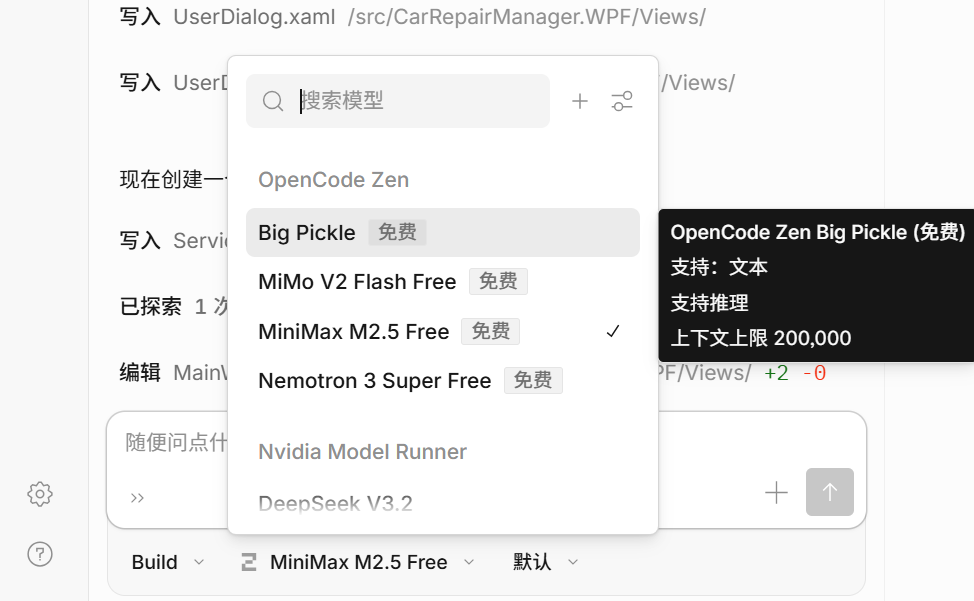
✅ Ideal for quick start or users without local GPU resources
❌ Requires internet access; not suitable for fully offline environments
2. Deploying a Local LLM Service
For maximum privacy or fully offline operation, we recommend deploying a local LLM. Based on our previous guide Outperforming 235B Models: Single-GPU Private Deployment of OpenClaw, a typical setup includes:
- Model:
Qwen3.5-35B-A3B-UD-Q4_K_M.gguf
(MoE architecture, only 3B active parameters, outperforms Qwen3-235B) - Inference Backend:
llama.cpp(running inservermode) - API Endpoint:
http://10.0.0.10:8001/v1
Verify the service is running:
curl http://10.0.0.10:8001/v1/modelsExpected output: a JSON list containing the model ID.
⚠️ Note: This address must be reachable from within the OpenCode container.
3. Connecting to Cloud APIs (OpenAI / Claude / Gemini, etc.)
OpenCode also supports major cloud models—just provide your API key:
💡 Supports 75+ model providers via Models.dev, including Anthropic, Google, Mistral, DeepSeek, and more.
Docker Deployment: Web UI / CLI Service
Quick Start
docker run -d \
  --name opencode-quick \
  --restart unless-stopped \
  --entrypoint opencode \
  -p 3000:3000 \
  -v ./config:/root/.config/opencode \
  -v ./data:/root/.local/share/opencode \
  -v ./workspace:/workspace \
  -e WORKDIR=/workspace \
  ghcr.io/anomalyco/opencode:latest \
web --hostname 0.0.0.0 --port 3000./workspace: Mount your project directory (AI can read/write here)./config: Path foropencode.jsonconfiguration./data: Stores session data, cache, and runtime files- 🌐 Access at:
http://{host-ip}:3000
Full Deployment (Recommended for Production / Long-Term Use)
1. Create Dockerfile
# --- Stage 1: Extraction ---
FROM ghcr.io/astral-sh/uv:latest AS uv_bin

# --- Stage 2: Runtime Environment ---
FROM ubuntu:24.04

ARG LOCAL_TOOLS="curl ca-certificates git"

ENV DEBIAN_FRONTEND=noninteractive \
    HOME=/home/opencode \
    UV_PROJECT_ENVIRONMENT=/home/opencode/.venv \
    UV_CACHE_DIR=/home/opencode/.cache/uv \
    UV_PYTHON_INSTALL_DIR=/home/opencode/.cache/uv/python \
    UV_LINK_MODE=copy \
    UV_PYTHON_PREFERENCE=managed \
    PATH="/home/opencode/.opencode/bin:/home/opencode/.venv/bin:$PATH"

RUN apt-get update && apt-get install -y --no-install-recommends $LOCAL_TOOLS \
    && useradd -m -s /bin/bash opencode \
    && mkdir -p /home/opencode/.local/share/opencode \
                /home/opencode/.config/opencode \
                /home/opencode/.cache/uv \
                /home/opencode/.venv \
                /workspace \
    && chown -R opencode:opencode /home/opencode /workspace \
    && apt-get clean \
    && rm -rf /var/lib/apt/lists/*

COPY --from=uv_bin /uv /uvx /bin/

COPY --chown=opencode:opencode ./entrypoint.sh /home/opencode/entrypoint.sh
RUN chmod +x /home/opencode/entrypoint.sh

# Install OpenCode CLI
RUN curl -fsSL https://opencode.ai/install | bash || \
    (echo "⚠️ OpenCode install failed, trying alternative method..." && \
    curl -fsSL https://github.com/opencode-ai/opencode/releases/latest/download/opencode-linux-x64 -o /home/opencode/.opencode/bin/opencode && \
    chmod +x /home/opencode/.opencode/bin/opencode)

USER root
WORKDIR /workspace
ENTRYPOINT ["/home/opencode/entrypoint.sh"]
2. Create entrypoint.sh
#!/bin/bash
set -e

# .NET 8 SDK Installation (controlled by env var)
if [ "$INSTALL_DOTNET" = "true" ]; then
    echo "🛠️ [Entrypoint] .NET 8 SDK installation enabled."
    if ! command -v dotnet &> /dev/null; then
        apt-get update
        apt-get install -y wget
        wget https://packages.microsoft.com/config/ubuntu/24.04/packages-microsoft-prod.deb -O packages-microsoft-prod.deb
        dpkg -i packages-microsoft-prod.deb
        rm packages-microsoft-prod.deb
        apt-get update
        apt-get install -y dotnet-sdk-8.0
        apt-get clean
        rm -rf /var/lib/apt/lists/*
        echo "✅ [Entrypoint] .NET 8 SDK installed!"
        dotnet --version
    else
        echo "✅ [Entrypoint] .NET SDK already installed."
    fi
else
    echo "⏭️ [Entrypoint] Skipping .NET SDK installation."
fi

# Python Dependency Installation
if [ "$INSTALL_DEPS" = "true" ]; then
    echo "🛠️ [Entrypoint] Full setup mode enabled."
    uv venv -q /home/opencode/.venv
    if [ -f "requirements.txt" ]; then
        uv pip install -q -r requirements.txt
    elif [ -f "pyproject.toml" ]; then
        uv sync -q
    else
        echo "ℹ️ [Entrypoint] No dependency file found, but virtual environment created."
    fi
else
    echo "⏭️ [Entrypoint] Skipping dependency installation."
fi

echo "🚀 [Entrypoint] Starting OpenCode..."
opencode web --hostname 0.0.0.0 --port 3000
3. Create docker-compose.yml
version: '3.8'
services:
  opencode:
    image: opencode-net:latest
    container_name: opencode-net
    restart: unless-stopped
    ports:
      - "3005:3000"
    volumes:
      - ./opencode/config:/home/opencode/.config/opencode
      - ./opencode/data:/home/opencode/.local/share/opencode
      - /data/ai/workspace:/workspace
    environment:
      - WORKDIR=/workspace
      - GIT_AUTHOR_NAME=opencode
      - [email protected]
      # - HTTP_PROXY=http://192.168.x.x:7890
      # - HTTPS_PROXY=http://192.168.x.x:7890
      - INSTALL_DEPS=false
      - INSTALL_DOTNET=false
    networks:
      - opencode_net

networks:
  opencode_net:
    driver: bridge
4. Build the Image
docker build -t opencode-net:latest .5. Start the Service
docker compose up -d6. Configure Model (config/opencode.json)
{
  "$schema": "https://opencode.ai/config.json",
  "provider": {
    "local-llama-cpp": {
      "npm": "@ai-sdk/openai-compatible",
      "name": "Llama.cpp Model Runner",
      "options": {
        "baseURL": "http://192.168.1.10:8001/v1",
        "apiKey": "not-needed"
      },
      "models": {
        "Qwen3.5-35B-A3B-UD-Q4_K_M": {
          "name": "Qwen3.5-35B-A3B-UD-Q4_K_M",
          "limit": { "contextWindow": 128000, "maxOutputTokens": 64000, "context": 0, "output": 64000 }
        }
      }
    }
  }
}
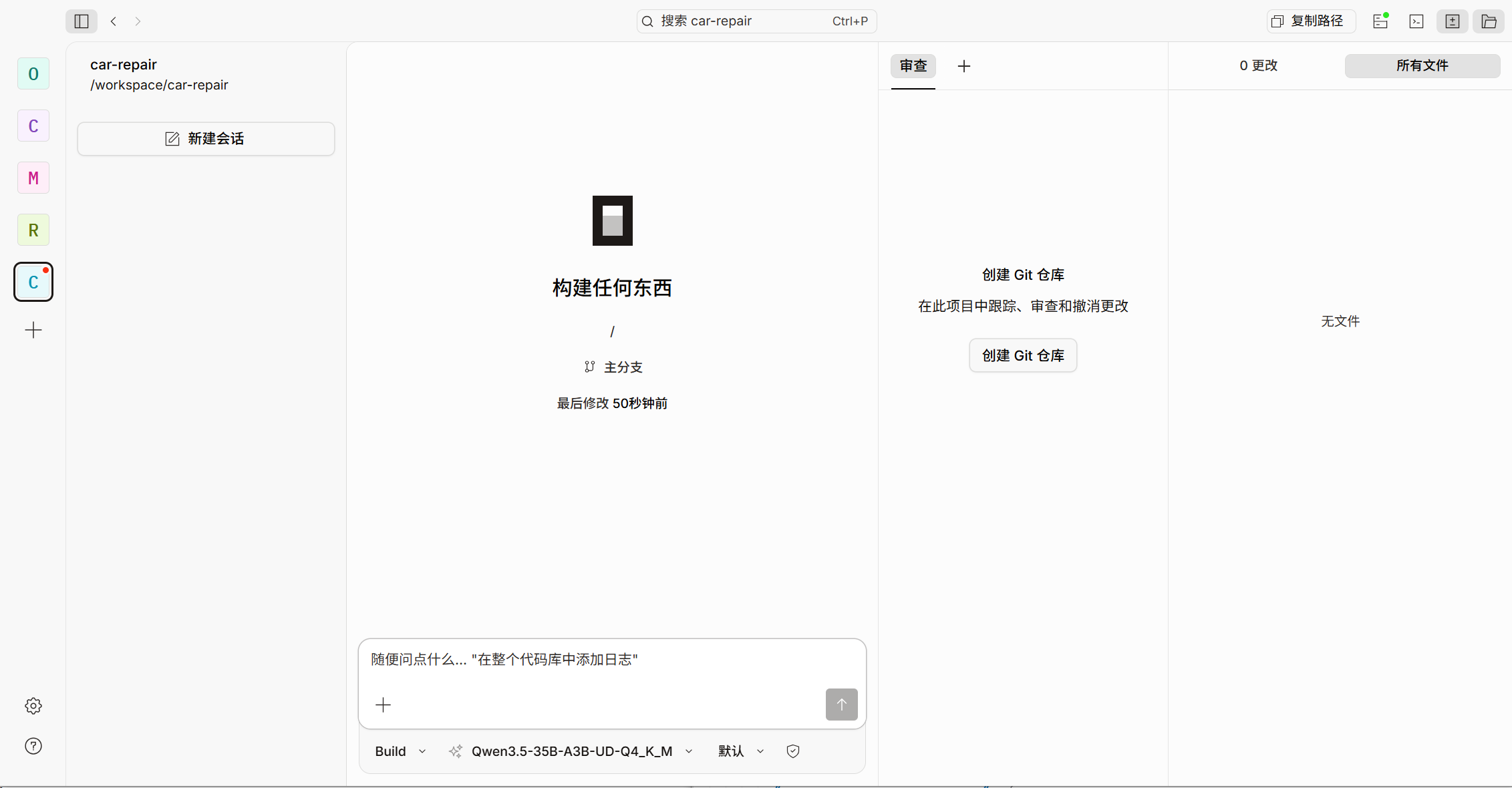
7. Access the Web Interface
Visit in your browser:
👉
http://{host-ip}:3005
After initial load, you can start coding with AI assistance—no login, no API key, all data stays local.
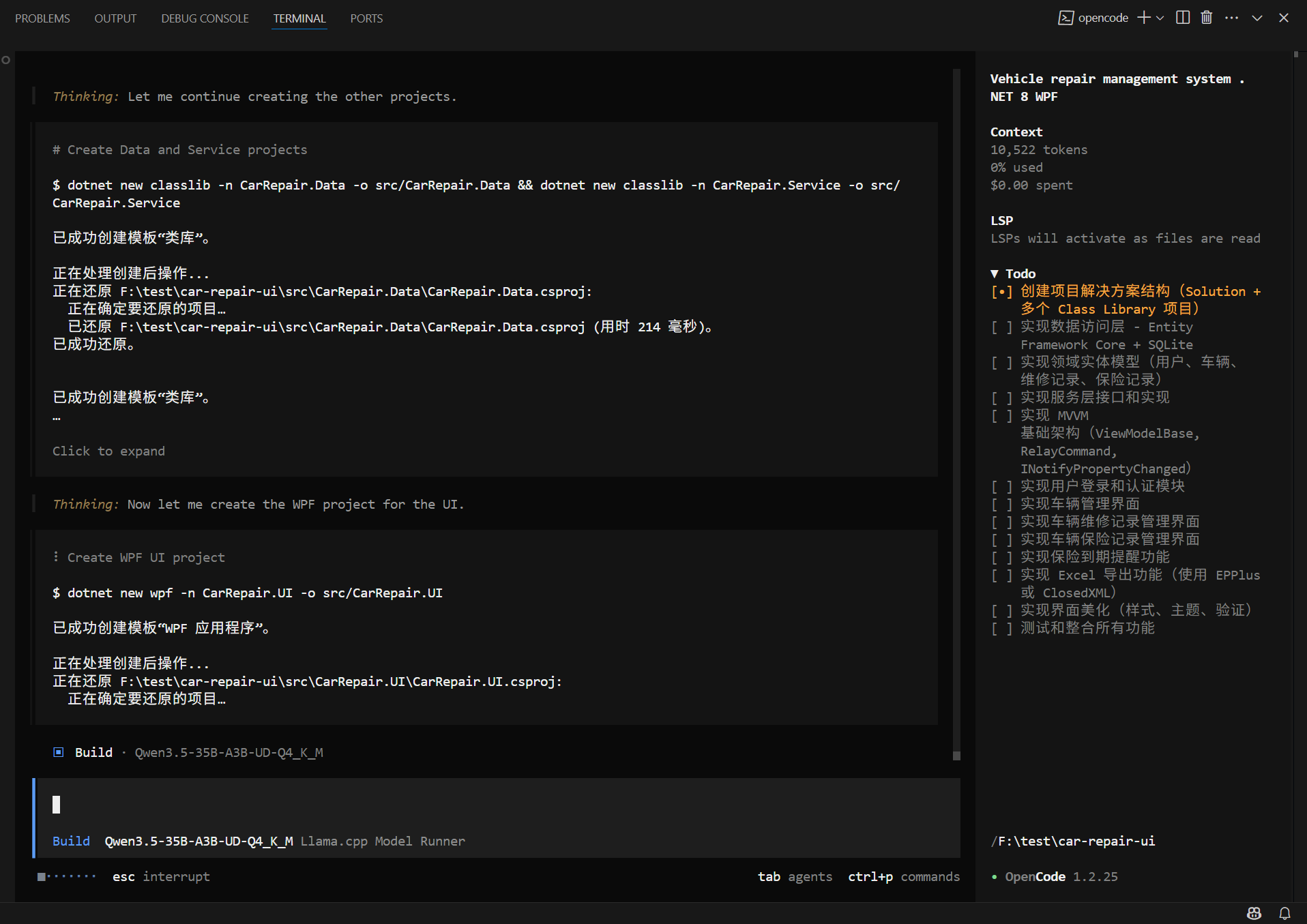
Terminal CLI & VS Code Plugin Integration
CLI Installation & Configuration
# Install CLI
npm install -g opencode-ai

# Check version
opencode --version

# Run
opencode

# List available models
/models
Configuration file paths:
- Linux / macOS:
~/.config/opencode/opencode.json - Windows:
%USERPROFILE%\.config\opencode\opencode.json
💡 Configuration is identical to the Docker
config/opencode.json—reuse freely.
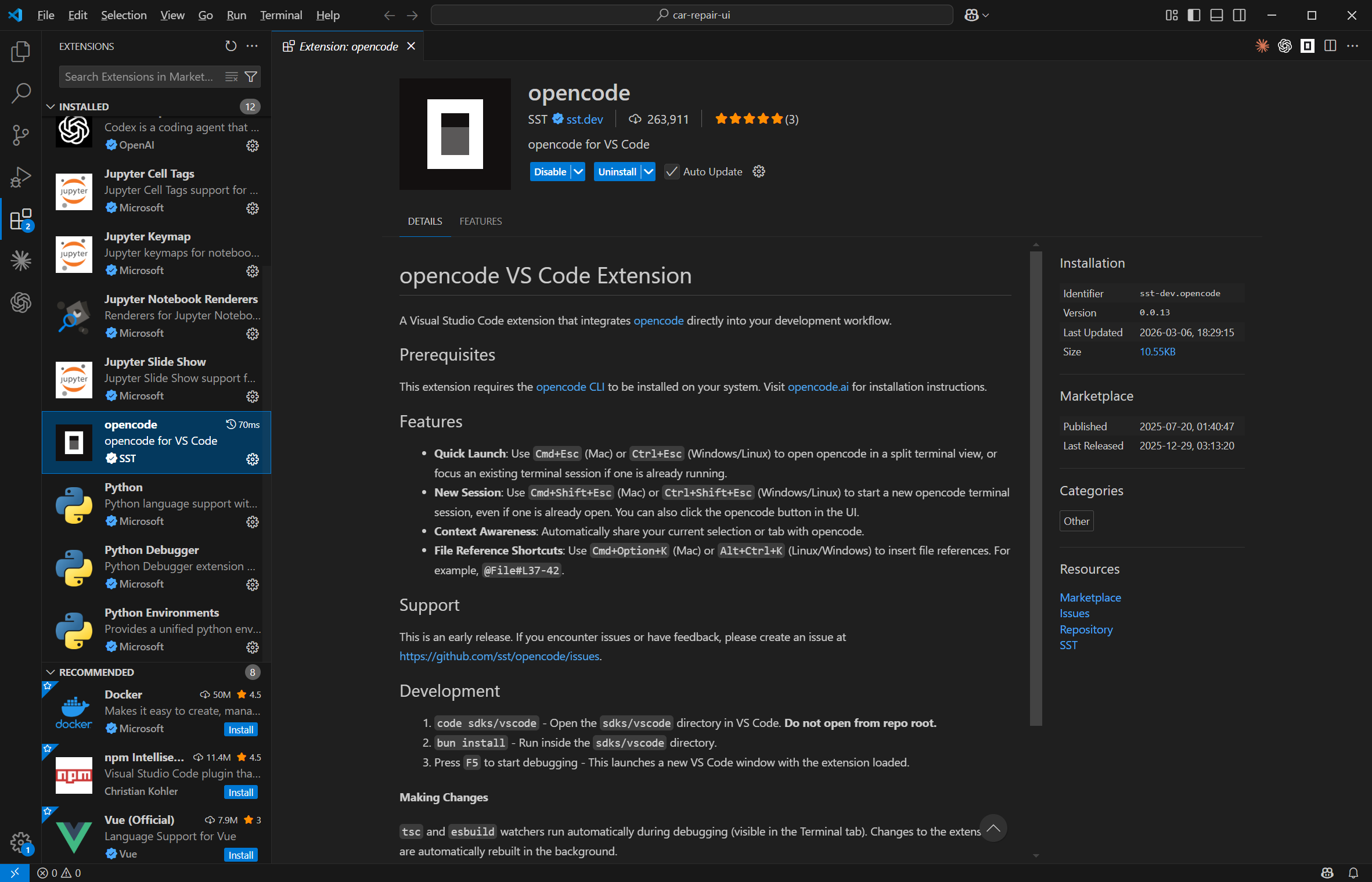
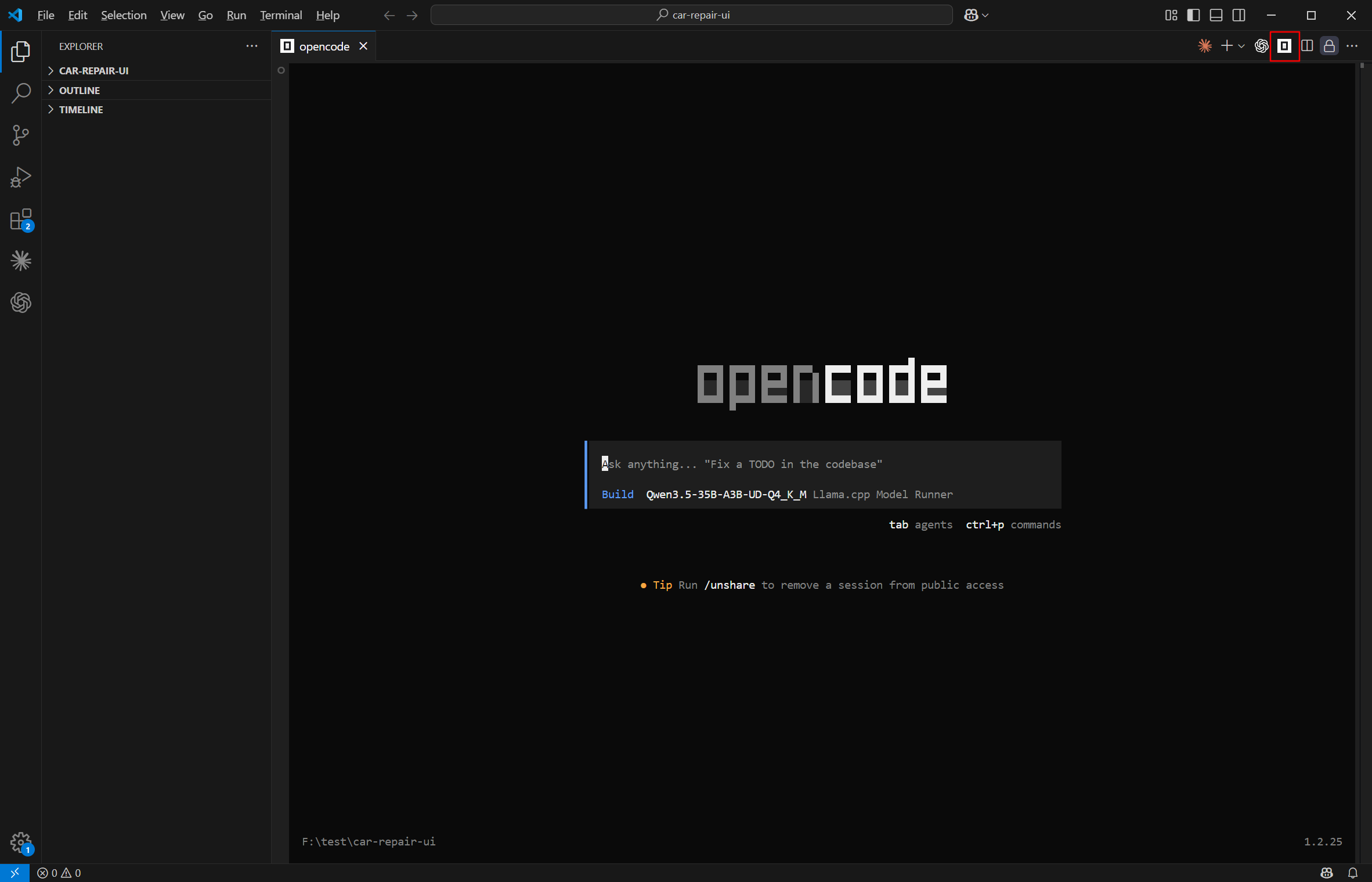
VS Code Plugin
- Install: OpenCode for VS Code
- Uses the same config file:
~/.config/opencode/opencode.json
Comparison: Web UI vs Terminal CLI
| Interface | Target Users | Key Features |
|---|---|---|
| Web UI | Non-terminal users, demos | Graphical interface, intuitive, file browsing, chat history, permission prompts |
| Terminal CLI | Advanced users, CI/CD, automation | Command-driven, embeddable in workflows, supports piping |
| VS Code Plugin | Daily IDE users | Seamless editor integration, inline completions, right-click actions, hotkeys |
Common Issues & Security Recommendations
| Issue | Cause | Solution |
|---|---|---|
| Model connection fails | Container can't resolve localhost |
Use host’s internal IP (e.g., 10.0.0.10) on Linux; check firewall |
| Blank/slow page load | First-time dependency installation | Check logs: docker logs -f opencode; wait 2–5 minutes |
| Context overflow | Input code too large | Set contextWindow and maxOutputTokens in opencode.json; add .opencodeignore to exclude node_modules/, dist/, etc. |
| AI can’t modify files | Permission not granted | Click “Allow” in Web UI prompt; never disable permission checks globally |
🔒 Security Best Practices
- Never expose port 3000/3005 directly to the internet—use Nginx + HTTPS with authentication
- Restrict
workspacemount scope—never mount/,/home, or system directories - Use non-root user in production Docker images (as shown in the
Dockerfileabove)
✅ Now, open your browser and enjoy a secure, efficient, and fully autonomous AI coding experience!
For advanced customization (multi-model switching, custom agents, skill plugins), refer to the OpenCode Official Documentation.
✨ Your code deserves respect. Your AI should be under your control.

john
The person is so lazy that he left nothing.
Article Comments(0)